Log every set as you lift
Weight, reps and rest, with last session's numbers beside every set.
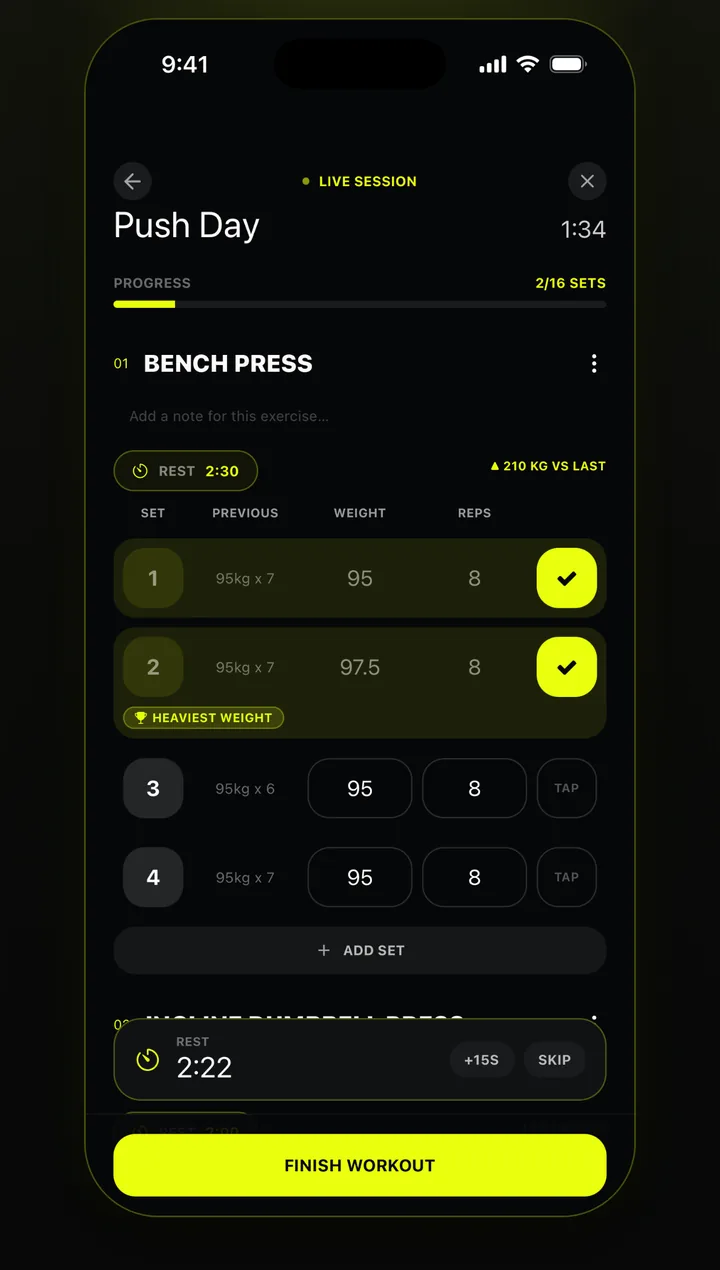
Workout tracker for iPhone
Log every set as you lift, and Awzany maps a year of your training onto your body — so you can see which muscles are progressing and which need attention.
Free · In Arabic and English
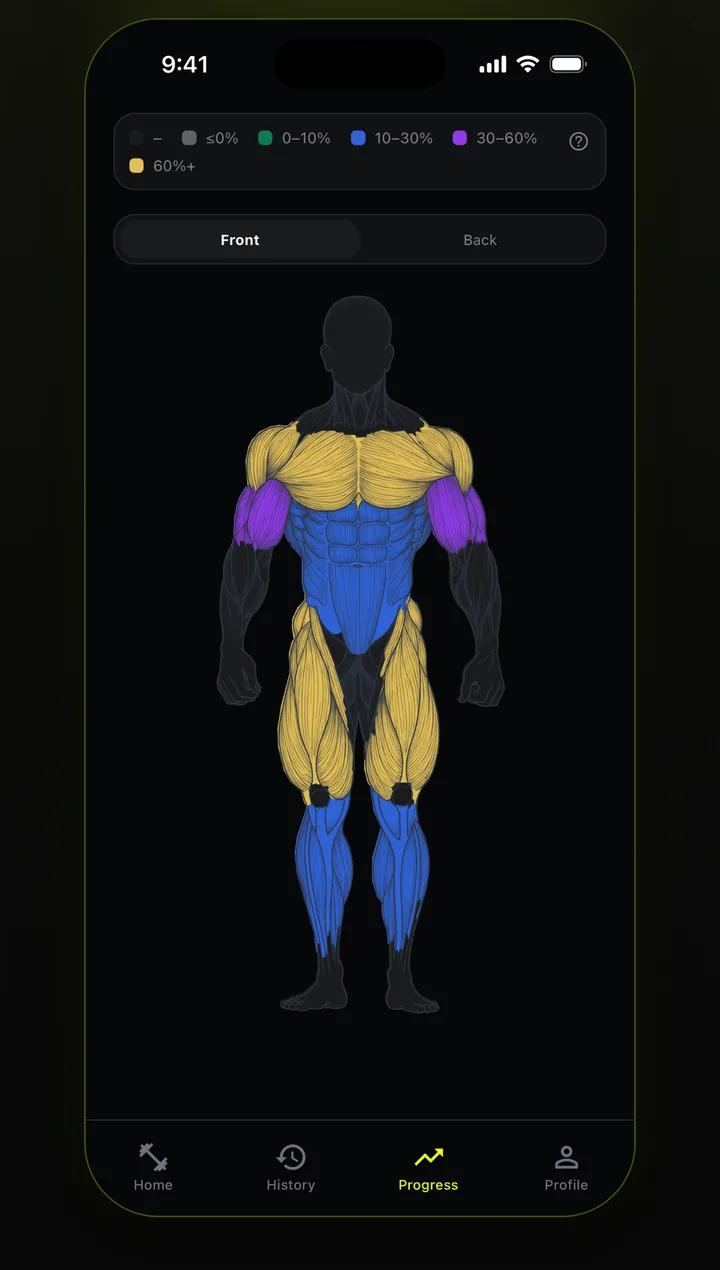
Progress
No spreadsheets. Awzany turns every logged set into a colour-coded muscle map, front and back.
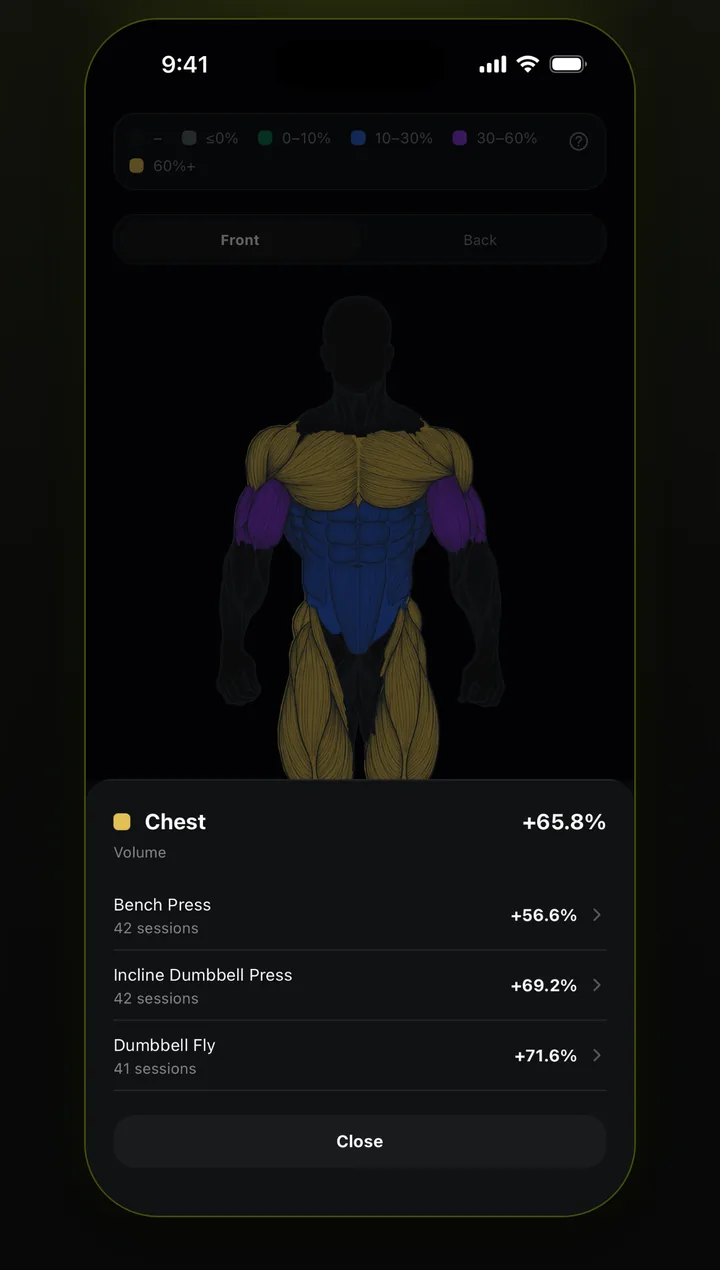
Each muscle lights up by how much its training volume has grown, so lagging muscles stand out at a glance.
See the exercises and sessions behind each muscle's progress, and which lifts are driving it.
Volume and weight stats for the last 30 days, 6 months, a year, or since you started.
Features
Built for logging fast between sets — and for looking back on it later.
Weight, reps and rest, with last session's numbers beside every set.
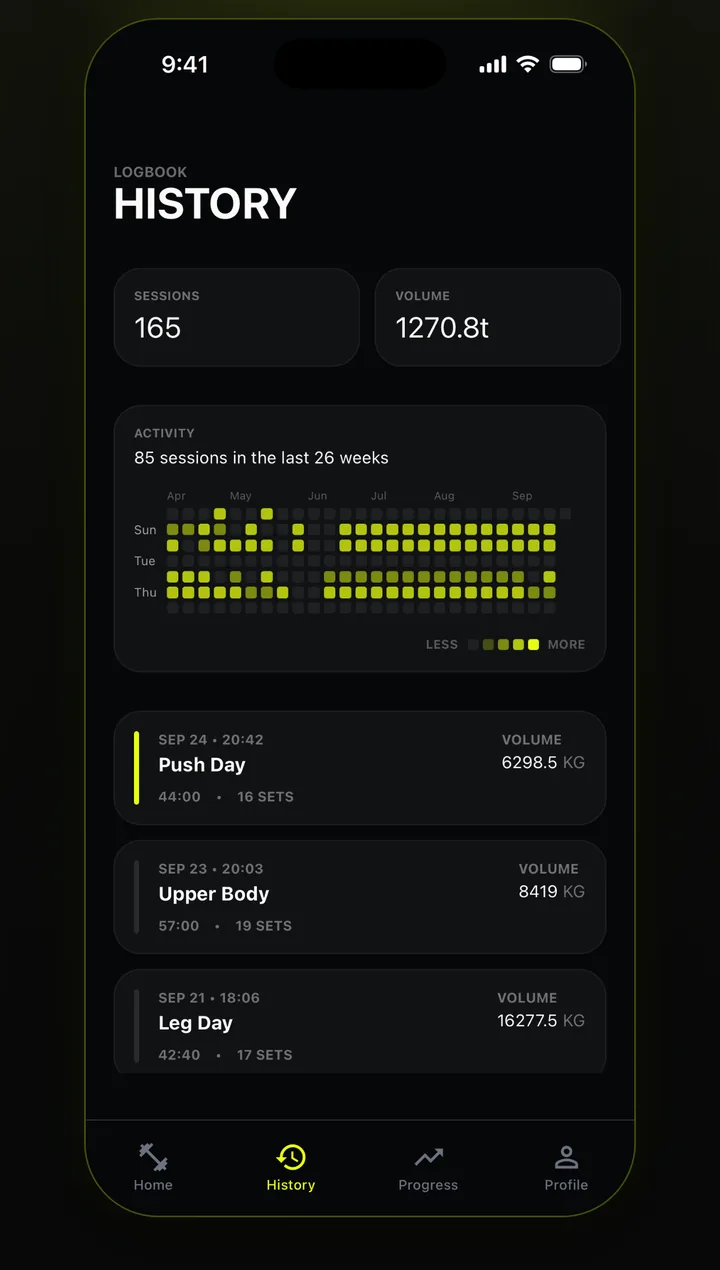
Full history of every session and set, with a year-long activity graph.
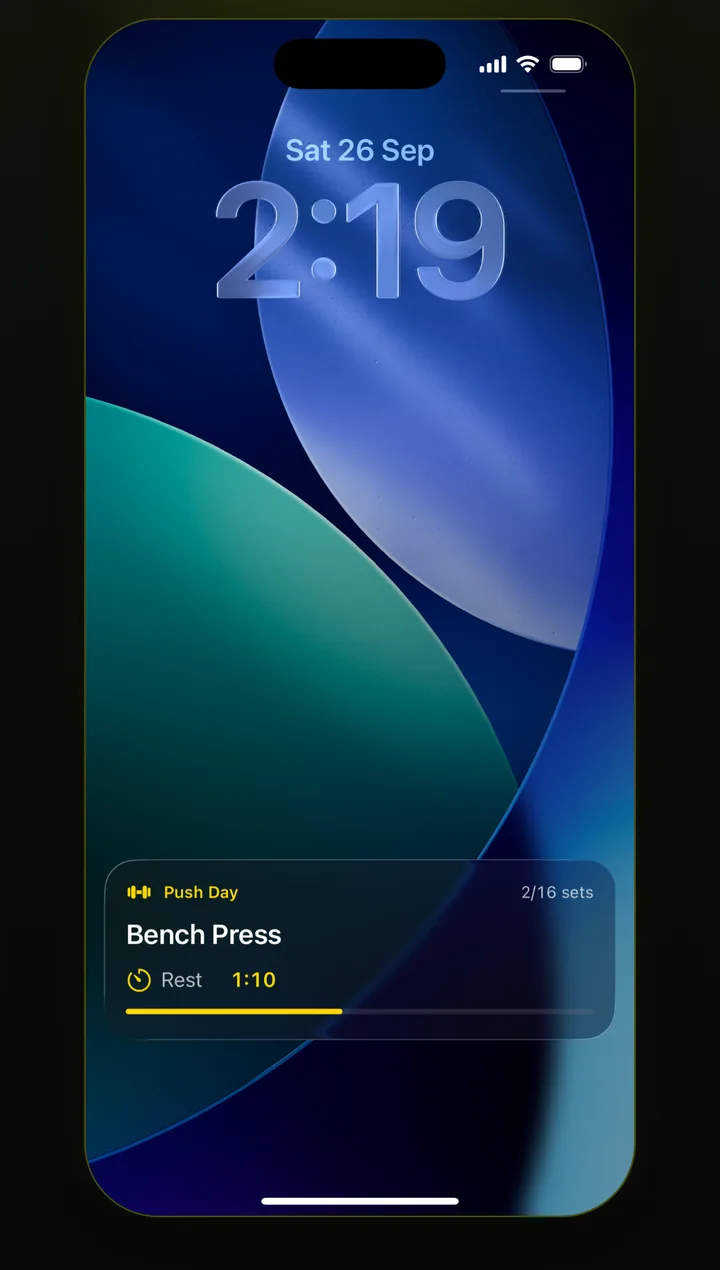
A Live Activity counts down your rest without unlocking your phone.
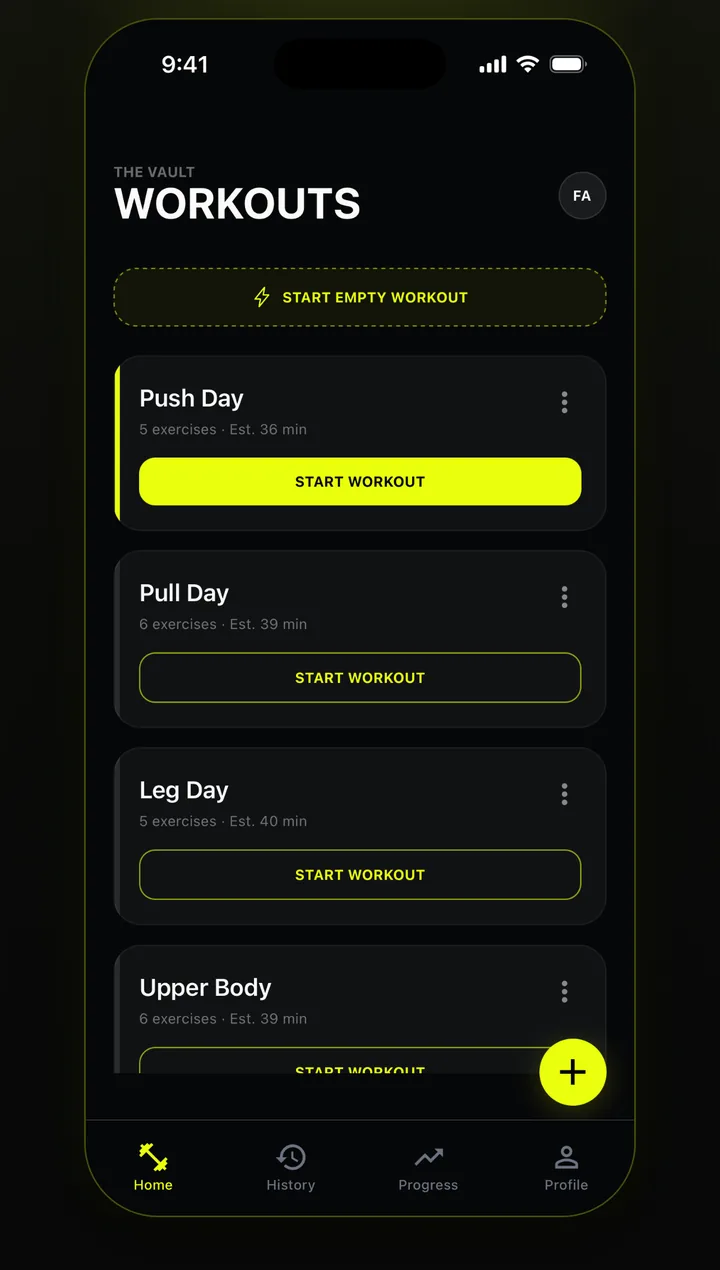
Build a template once and start it with one tap — or start empty and save it after.

Download Awzany for free and watch your training add up.
Questions, bug reports, or account help — email us and we'll get back to you: AwzanySupport@gmail.com
You can permanently delete your account and all of its data from inside the app: open the Profile tab and choose Delete account. Details are in our privacy policy.